Callbacks in JavaScript: Why They Exist
One of the most interesting things about JavaScript is that functions are treated like normal values.
That means functions can:
be stored inside variables
be passed as arguments
be returned from other functions
This ability is the reason callback functions exist.
Callbacks are one of the most important concepts in JavaScript because they help us handle:
asynchronous tasks
delayed operations
events
timers
API requests
In this article we will understand:
what callback functions are
why callbacks are used
passing functions as arguments
real-world callback examples
callback nesting problems
Functions as Values in JavaScript
In JavaScript, functions are first-class citizens.
This means functions behave like normal values.
Example:
function greet() {
  console.log("Hello")
}

const sayHello = greet

sayHello()
Output:
Hello
Here:
greet
was stored inside another variable.
This is possible because functions are treated like values.
What Is a Callback Function?
A callback function is simply:
A function passed into another function as an argument.
Example:
function greet(name) {
  console.log(`Hello ${name}`)
}

function processUser(callback) {
  const username = "Rahul"

  callback(username)
}

processUser(greet)
Output:
Hello Rahul
Here:
greetis passed as an argumentprocessUserlater calls it
So greet becomes a callback function.
Why Are Callbacks Useful?
Callbacks allow one function to decide:
"What should happen next?"
This makes programs flexible and reusable.
Instead of hardcoding logic, we can pass different functions.
Example:
function calculate(a, b, operation) {
  return operation(a, b)
}

function add(x, y) {
  return x + y
}

console.log(calculate(5, 3, add))
Output:
8
The behavior changes depending on the callback passed.
Passing Functions as Arguments
This is the foundation of callbacks.
Example:
function welcome() {
  console.log("Welcome User")
}

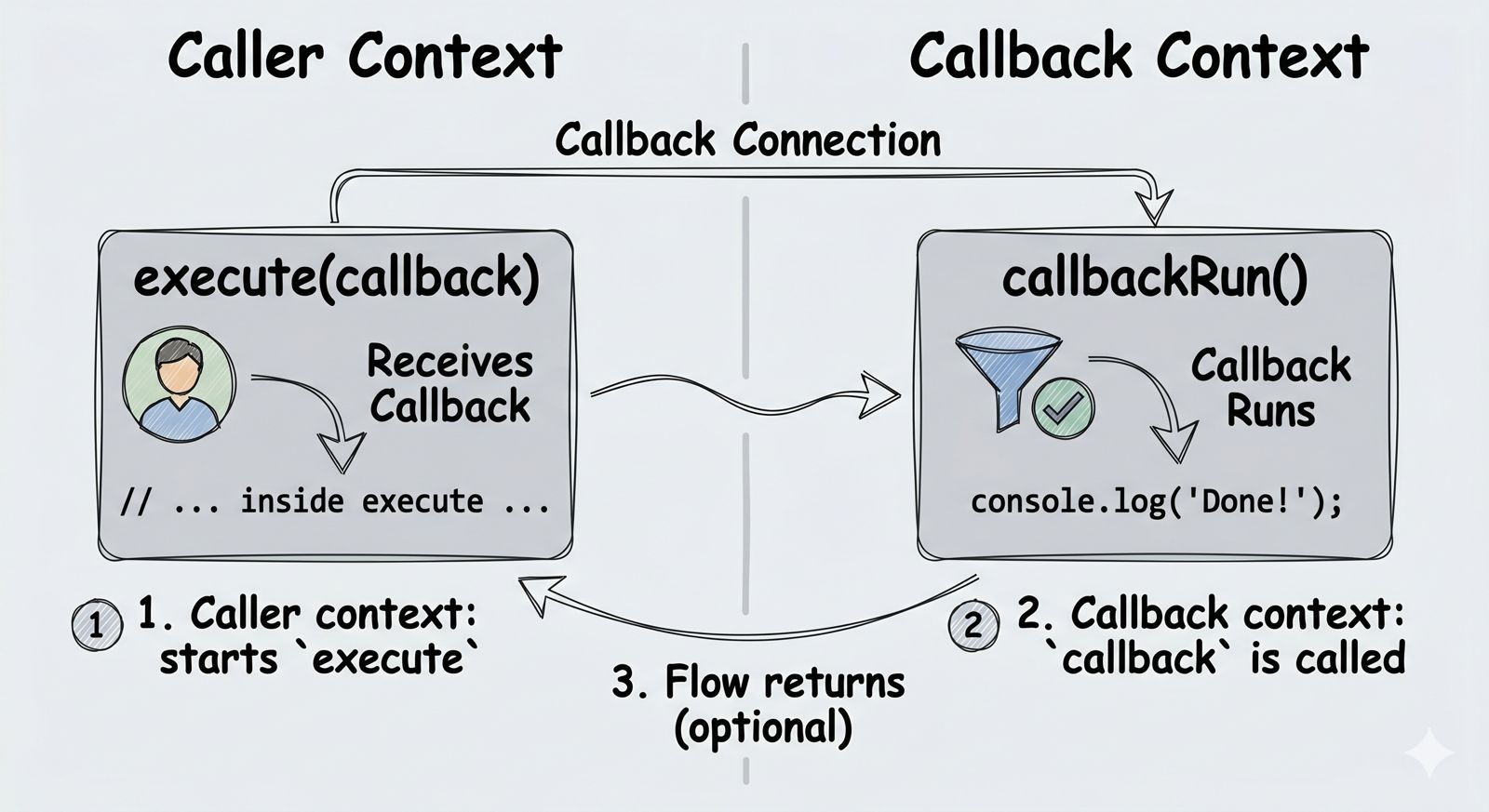
function execute(callback) {
  callback()
}

execute(welcome)
Output:
Welcome User
Important point:
We pass:
welcome
NOT:
welcome()
Because:
welcome()
would execute the function immediately.
Why Callbacks Became Important in JavaScript
JavaScript is single-threaded.
That means it executes one thing at a time.
But many tasks take time:
fetching API data
reading files
database queries
timers
If JavaScript waited for every task to finish, applications would freeze.
Callbacks help JavaScript continue running other code while waiting.
Simple Asynchronous Example
Example using setTimeout():
console.log("Start")

setTimeout(() => {
  console.log("Task Completed")
}, 2000)

console.log("End")
Output:
Start
End
Task Completed
Why?
Because setTimeout() is asynchronous.
The callback runs later after 2 seconds.
Meanwhile JavaScript continues executing other code.
Real-World Analogy
Imagine ordering food in a restaurant.
You place the order and continue talking with friends.
Later the waiter calls your name when food is ready.
That waiter notification acts like a callback.
Instead of waiting at the kitchen, you continue doing other work.
Callback Usage in Common Scenarios
Callbacks are used everywhere in JavaScript.
1. Timers
setTimeout(() => {
  console.log("Hello after 2 seconds")
}, 2000)
2. Event Handling
button.addEventListener("click", () => {
  console.log("Button clicked")
})
The function runs only after the click event happens.
3. Array Methods
const numbers = [1, 2, 3]

numbers.forEach((num) => {
  console.log(num)
})
Here the function passed to forEach() is a callback.
4. API Requests
Callbacks were heavily used earlier for handling API responses.
Understanding Callback Flow Step by Step
Example:
function fetchData(callback) {

  console.log("Fetching data...")

  setTimeout(() => {
    callback("Data received")
  }, 2000)
}

function displayData(data) {
  console.log(data)
}

fetchData(displayData)
Step 1
fetchData() starts running.
Step 2
It starts an asynchronous timer.
Step 3
JavaScript continues running other tasks.
Step 4
After 2 seconds:
callback("Data received")
executes.
Step 5
displayData() runs.
Output:
Fetching data...
Data received
The Problem With Nested Callbacks
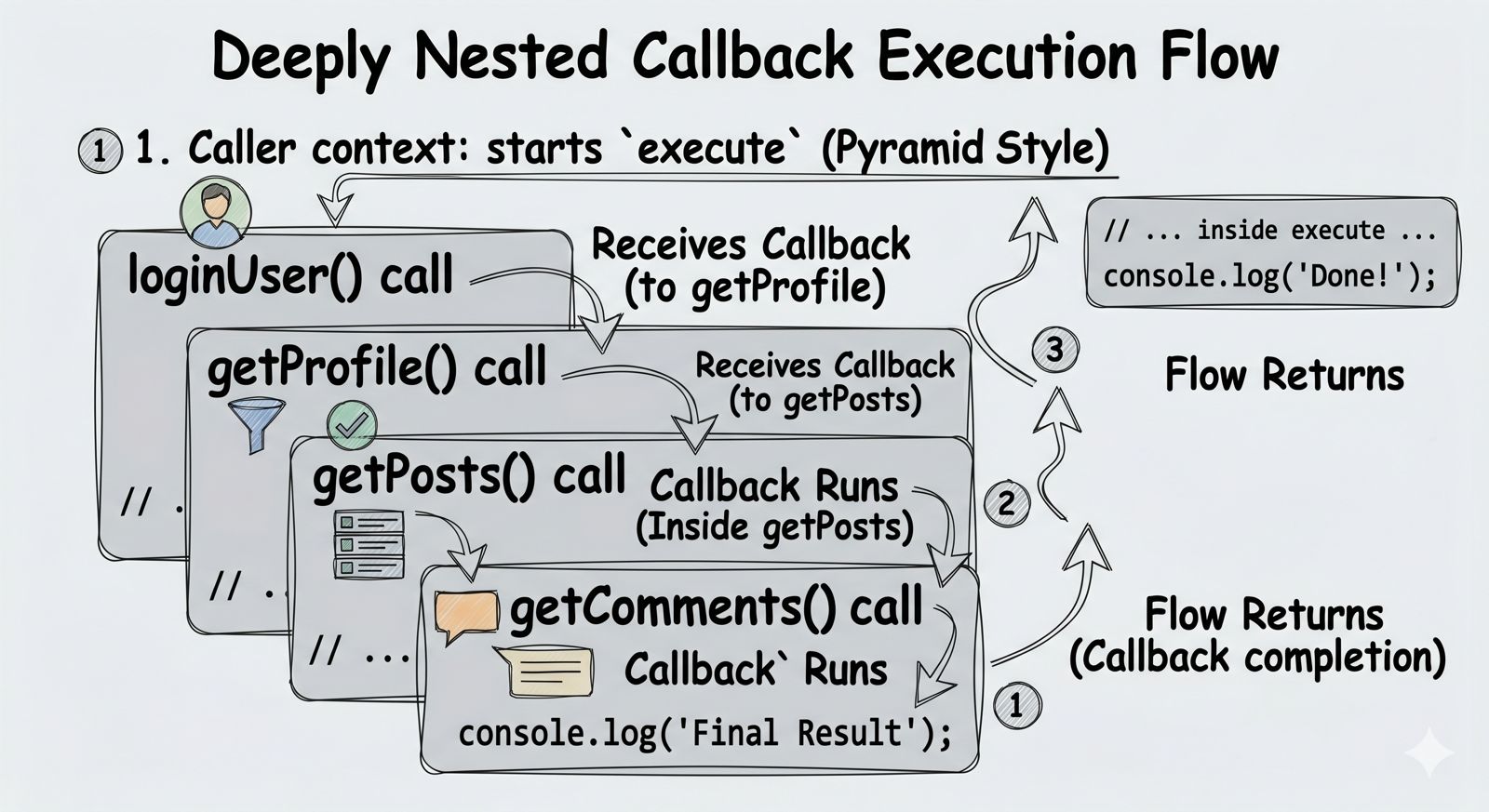
Callbacks are powerful, but too many nested callbacks become difficult to manage.
Example:
loginUser(username, () => {

  getProfile(() => {

    getPosts(() => {

      getComments(() => {

        console.log("All tasks completed")

      })

    })

  })

})
This deep nesting becomes messy very quickly.
This problem is called:
Callback Hell
or
Pyramid of Doom
because the code starts drifting toward the right side.
Why Callback Nesting Becomes Difficult
Problems:
hard to read
difficult to debug
difficult to maintain
error handling becomes messy
Because of these issues, JavaScript later introduced:
Promises
async/await
to simplify asynchronous code.
Important Beginner Understanding
Callbacks themselves are not bad.
They are still heavily used in:
events
array methods
timers
middleware
Node.js APIs
The real issue starts when callbacks become deeply nested.
Assignment Practice
Try these examples.
1. Create a Simple Callback
function greet(name) {
  console.log(`Hello ${name}`)
}

function process(callback) {
  callback("Rahul")
}

process(greet)
2. Use setTimeout()
Print a message after 3 seconds.
3. Use Callback With Array Method
const numbers = [1, 2, 3]
Use forEach() with a callback.
4. Create Nested Callbacks
Create 3 nested functions and observe how readability changes.
Conclusion
Callbacks are one of the core concepts in JavaScript. They exist because JavaScript needs a way to handle tasks that complete later without blocking the entire program.
In this article we learned:
what callback functions are
passing functions as arguments
why callbacks are important
asynchronous callback flow
common callback usage
problems with callback nesting
Callbacks may look simple initially, but understanding them properly builds the foundation for learning:
Promises
async/await
Node.js asynchronous programming
The best way to understand callbacks is by practicing small asynchronous examples yourself.